The open-source video downloader landscape has matured considerably in 2026. Whether you want to download YouTube videos in 4K, save TikTok clips without watermark, or archive content from Instagram and Twitter, there are now several serious, well-maintained tools for the job. This guide offers an honest comparison of the five most notable open-source video downloaders — from command-line power tools to polished desktop applications — so you can pick the right one for your workflow.
All of the tools discussed here (except one noted exception) are free, open source, and respect your privacy. They differ in interface, feature depth, and philosophy.
yt-dlp (Command-Line Interface)
yt-dlp is the backbone of nearly every open-source video downloader in existence. It is the actively maintained fork of the original youtube-dl project and supports over 1,000 websites. If a site hosts video, there is a good chance yt-dlp can extract it.
The power of yt-dlp is staggering. You can specify format selection with strings like -f "bv*[height<=1080]+ba/b" to grab the best video up to 1080p plus the best audio, define output templates to control file naming, inject SponsorBlock data to skip sponsored segments, extract subtitles, embed metadata, and chain post-processing steps. It also supports cookies for accessing age-gated or subscription content.
The trade-off is obvious: yt-dlp is a terminal application. There is no graphical interface. You need to be comfortable reading documentation, constructing command strings, and troubleshooting from log output. For power users and anyone doing automation or scripting, it is the gold standard. For everyone else, the learning curve is steep.
Platforms: Windows, macOS, Linux (Python-based, runs anywhere Python runs) Best for: Power users, developers, automation scripts, anyone who lives in the terminal
DownKingo (Desktop GUI)
DownKingo takes a different approach. It is a native desktop application built with Go and Wails v3 on the backend and React 19 with TypeScript on the frontend. On first launch, the app automatically downloads yt-dlp and FFmpeg — you do not need to install anything manually.
The result is that you get yt-dlp’s broad platform support — YouTube, TikTok, Instagram, Twitter/X, Facebook, Reddit, Twitch, SoundCloud, and hundreds more — through a visual interface. Paste a URL, see available formats and quality options, pick what you want, and download. The clipboard monitor with adaptive backoff watches for copied URLs and offers to queue them automatically. The download queue supports concurrent downloads via a worker pool with individual progress tracking.
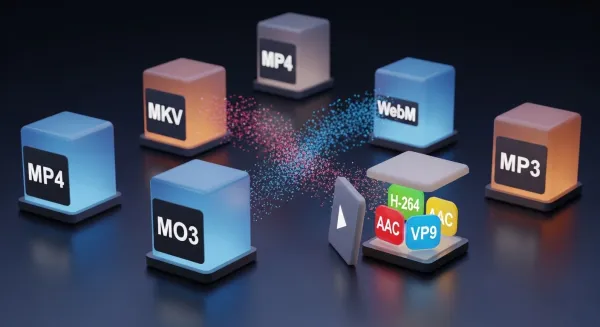
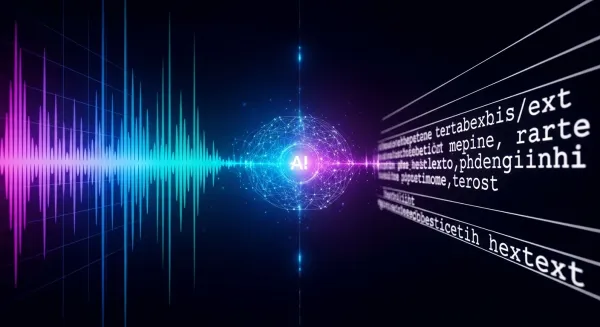
Where DownKingo goes further than a simple yt-dlp wrapper is in its additional tools. It includes a full media converter (powered by FFmpeg) that handles format switching between MP4, MKV, WebM, MOV, and audio formats like MP3, AAC, FLAC, WAV, OGG, and M4A. There is also a built-in AI transcriber using Whisper, which runs locally and offline after the model download, capable of converting audio and video to text with timestamps in multiple languages. The app supports five languages natively, stores download history in a local SQLite database, integrates with GitHub for authentication and an interactive roadmap, and features a silent automatic update system.
To be transparent about limitations: DownKingo is a newer project with a smaller community than yt-dlp itself. Not every advanced yt-dlp flag is exposed in the GUI yet, and playlist support is on the roadmap for future versions. But for the vast majority of download and conversion tasks, it covers the workflow efficiently.
Platforms: Windows, macOS, Linux Best for: Users who want yt-dlp’s capabilities without touching the command line, and anyone who needs downloading, conversion, and transcription in one tool
Tartube (Desktop GUI)
Tartube is a Python/GTK front-end for yt-dlp that focuses on video library management rather than one-off downloads. Its primary strength is organization: you can create channel subscriptions, schedule automatic checks for new uploads, organize videos into custom folders, and get alerts for livestreams.
The interface shows its ambition and its age simultaneously. There are many panels, tabs, and configuration options. Setting up channel monitoring, download scheduling, and folder hierarchies gives you fine-grained control, but the learning curve is real. The GTK-based UI feels functional rather than polished, and performance can slow down when managing very large queues.
Tartube inherits yt-dlp’s full site support since it calls yt-dlp directly. It is cross-platform, running on Windows, macOS, and Linux, though it feels most at home on Linux where GTK integration is native.
Platforms: Windows, macOS, Linux Best for: Users who need to monitor channels for new uploads and manage an ongoing video archive over time
Parabolic (Desktop GUI)
Parabolic (formerly known as Video Downloader) is a clean, minimal front-end for yt-dlp built with GTK4 and libadwaita. It follows GNOME’s design language closely, which makes it feel completely native on the GNOME desktop.
The workflow is deliberately simple: paste a URL, pick your format and quality, download. That is it. Parabolic does not try to be a video library manager or a conversion suite. It does one thing and does it with a polished, distraction-free interface. It is distributed primarily as a Flatpak, making installation on most Linux distributions straightforward.
The flip side of that minimalism is limited functionality. Conversion options are basic, there is no batch processing beyond simple queues, and advanced yt-dlp features are not exposed. Parabolic is also Linux-focused — there are no official Windows or macOS builds.
Platforms: Linux (Flatpak, also available as Snap and AUR) Best for: Linux users on GNOME who want a native-feeling, simple download tool
Stacher (Desktop GUI)
Stacher is another yt-dlp GUI wrapper that takes the cross-platform route via Electron. It presents a straightforward interface: paste a URL, pick the format, download. Stacher handles keeping yt-dlp updated automatically, which is genuinely useful since yt-dlp releases updates frequently to keep up with site changes.
The Electron foundation means Stacher runs on Windows, macOS, and Linux, but it carries the typical Electron overhead — higher memory usage and slower startup compared to native applications. Feature-wise, Stacher does not add much beyond the GUI convenience layer. Post-processing and conversion options are limited, and there are no extra tools like media conversion or transcription.
Platforms: Windows, macOS, Linux (Electron-based) Best for: Users who want a no-frills yt-dlp GUI with automatic updates and cross-platform support
4K Video Downloader (Proprietary — For Context)
4K Video Downloader is widely recommended in “best downloader” lists, so it is worth addressing. It is not open source. The free tier limits download counts and features, and the full version requires a paid license. It is a capable tool with a clean interface, but it operates on a fundamentally different model — closed source, usage restrictions, and telemetry. It is mentioned here only because readers searching for video downloaders will inevitably encounter it and should understand the distinction.
Feature Comparison
| Feature | yt-dlp | DownKingo | Tartube | Parabolic | Stacher |
|---|---|---|---|---|---|
| Interface | CLI | Native GUI (Wails v3) | GTK GUI | GTK4/Adwaita GUI | Electron GUI |
| Site support | 1000+ | 1000+ (via yt-dlp) | 1000+ (via yt-dlp) | 1000+ (via yt-dlp) | 1000+ (via yt-dlp) |
| Windows | Yes | Yes | Yes | No | Yes |
| macOS | Yes | Yes | Yes | No | Yes |
| Linux | Yes | Yes | Yes | Yes | Yes |
| Built-in converter | No (relies on FFmpeg) | Yes (FFmpeg GUI) | No | Basic | No |
| AI Transcription | No | Yes (Whisper, offline) | No | No | No |
| Channel monitoring | Via scripting | No | Yes | No | No |
| Clipboard monitor | No | Yes (adaptive backoff) | No | No | No |
| Internationalization | No | Yes (5 languages) | Limited | Yes (via system) | No |
| Auto-update | Via flag | Yes (silent via GitHub) | Manual | Via Flatpak | Yes |
| Telemetry | None | None | None | None | None |
| Memory footprint | Minimal | Low (native Go + Wails) | Medium | Low | High (Electron) |
Which One Should You Use
The honest answer: it depends on your workflow.
yt-dlp is the most powerful tool on this list, full stop. If you are comfortable in the terminal and want total control, nothing else comes close. It is also the engine that powers most of the GUI tools listed here.
DownKingo is the strongest option if you want yt-dlp’s download capabilities paired with a modern interface, built-in media conversion, AI transcription, and automatic updates — without the memory cost of Electron. It is the most feature-complete GUI option here, with native support for 5 languages and GitHub integration.
Tartube fills a niche that the others do not: ongoing channel monitoring and video library management. If your workflow involves tracking dozens of channels and automatically archiving new uploads, Tartube was designed for exactly that.
Parabolic is the right choice for Linux users who want something lightweight, native-feeling, and simple. It does less, but it does it elegantly.
Stacher is a reasonable middle ground if you want a cross-platform GUI and do not need conversion or extra features.
Every tool on this list (except 4K Video Downloader) is free, open source, and respects your privacy. You genuinely cannot go wrong. Try the one that matches your needs and see how it fits.
For detailed guides on specific platforms, check out how to download YouTube videos in 4K, downloading TikTok without watermark, or transcribing audio and video with AI.
Ready to try DownKingo? Download it for free — no account, no ads, no tracking. Source code at github.com/down-kingo/downkingo.